Switching payment providers can feel intimidating because payments touch nearly every part of a business. A merchant services transition can affect checkout, deposits, refunds, chargebacks, accounting, subscriptions, customer experience, and staff workflows.
For many businesses, the goal is not simply to open a new merchant account. The real goal is to switch merchant service providers without interrupting sales or creating confusion behind the scenes.
A smooth change starts with planning. Before you change payment processor, you need to understand your current setup, review your payment processor contract, compare total costs, confirm technical compatibility, protect customer payment data, and test the new system carefully.
Businesses that rush often run into avoidable problems, such as funding delays, missing transaction records, broken checkout pages, failed subscription payments, or unexpected early termination fee charges.
This guide explains how to switch merchant service providers step by step. It is written for retail stores, restaurants, ecommerce businesses, service companies, startups, finance teams, and any organization preparing for a merchant account migration.
You will learn when switching makes sense, what to review before making a decision, how to compare providers, how to manage payment gateway migration or POS migration, and how to reduce downtime during the transition.
What Does It Mean to Switch Merchant Service Providers?
To switch merchant service providers means moving some or all of your payment processing relationship from one provider setup to another. That may include changing your payment processor, merchant account provider, payment gateway, POS system, ecommerce checkout, mobile payment tools, virtual terminal, reporting platform, or settlement workflow.
In some cases, the change is simple. In others, it becomes a larger payment processor migration involving hardware, software, accounting, recurring billing, and customer communication.
A merchant services provider switch can involve several parties. The payment processor routes transaction data. The merchant account holds the business relationship for card acceptance. The acquiring bank supports card transaction settlement.
The payment gateway securely connects online payments or card-not-present transactions to the processing network. Your POS system may handle card-present transactions, inventory, employee permissions, tips, receipts, and batch processing.
This means switching merchant service providers is not only an administrative change. It is an operational project. A restaurant may need new terminals, tip settings, table management connections, and batch close procedures.
An ecommerce seller may need payment gateway migration, plugin updates, API credentials, fraud rule configuration, and checkout testing. A subscription business may need recurring billing migration, tokenization support, failed payment handling, and customer payment data planning.
A smooth transition requires coordination. Your old account may still be needed for refunds, chargebacks, settlement reports, and historical transaction records. Your new account should be approved, configured, tested, and ready before you cancel the old one.
Why Businesses Switch Merchant Service Providers
Businesses consider switching merchant service providers for many reasons. The most common reason is cost. Payment processing fees, merchant account fees, monthly charges, gateway fees, PCI fees, chargeback fees, statement fees, batch fees, and equipment costs can add up.
A business may start with a simple plan but later discover that its effective rate is higher than expected once all fees are included. Reviewing common payment processing costs can help owners understand which charges deserve closer attention.
Another reason is unclear pricing. Some businesses receive statements that are difficult to read, with fees spread across several categories. If a provider cannot clearly explain interchange, assessments, processor markup, monthly minimums, or downgrade charges, the business may begin looking for a more transparent payment processing provider.
Service quality also matters. Poor support during technical issues can directly affect revenue. If a terminal stops working during a busy shift, an ecommerce checkout fails, or deposits do not arrive as expected, the business needs responsive help. Slow or inconsistent support is a common reason to change merchant services provider.
Growth can also trigger a merchant services transition. A small business may begin with basic card acceptance but later need ecommerce payments, recurring payments, invoicing, mobile payments, multi-location reporting, or software integrations. Restaurants may need tip adjustment and table-service features. Retailers may need inventory syncing. Service providers may need payment links, card-on-file tools, or recurring billing.
Other reasons include funding delays, frequent holds, limited payment methods, outdated terminals, unreliable gateway performance, poor chargeback support, weak reporting, or contract concerns. The right provider should support how the business sells now and how it plans to operate next.
Signs It May Be Time to Change Merchant Services Provider
It may be time to change merchant services provider when your current setup starts creating friction, confusion, or unnecessary cost. One warning sign is a rising effective rate. The effective rate is the total processing cost divided by total card sales.
If your effective rate is increasing even though your sales mix has not changed much, it may be worth reviewing your merchant statements and fee schedule.
Unexpected fees are another sign. These may include PCI non-compliance fees, monthly minimums, annual fees, gateway charges, batch fees, chargeback fees, statement fees, equipment fees, or account maintenance fees. Some fees are normal in payment processing, but they should be clearly disclosed and understandable.
Slow deposits can also create cash flow pressure. Settlement timing affects payroll, inventory purchases, rent, vendor payments, and operating reserves. If you regularly experience funding delays, unexplained holds, or inconsistent deposit amounts, the issue deserves attention.
Technical problems are another major signal. A payment gateway that times out, a checkout page that fails, a POS system that freezes, or terminals that cannot accept contactless payments can hurt sales. For ecommerce payments, failed webhooks, plugin conflicts, declined transactions, or poor order-status mapping may create operational headaches.
Poor customer service is often the final push. Businesses need support that understands card-present transactions, card-not-present transactions, chargebacks, refunds, batch processing, and merchant account issues. If your provider cannot resolve problems quickly or explain billing clearly, switching payment processors may be reasonable.
What to Review Before Switching Payment Processors
Before switching payment processors, review your current setup carefully. The goal is to avoid surprises, protect cash flow, and understand what must be moved or preserved. Start with your merchant services contract, payment processor contract, gateway agreement, equipment lease, and any software agreement connected to payment acceptance.
You should also review your PCI compliance status, recent merchant statements, settlement reports, chargeback history, refund activity, transaction volume, card mix, subscription billing setup, customer payment tokens, and accounting reports. This information helps you compare providers accurately and plan the migration.
If you process online payments, identify your payment gateway, ecommerce platform, plugins, API keys, webhook settings, fraud rules, hosted checkout pages, tax settings, and confirmation email flow.
If you process in-person payments, list terminals, POS devices, receipt printers, cash drawers, barcode scanners, tip settings, batch close procedures, employee permissions, and inventory integrations.
Do not overlook old obligations. Chargebacks and refunds can arise after you switch credit card processor because they are tied to the original transaction. Your previous provider may still need to handle those items. You may also need old reports for bookkeeping, tax preparation, customer service, dispute responses, and audits.
Review Your Current Contract Carefully
Your current merchant services contract may contain terms that affect when and how you can leave. Review the contract length, renewal language, cancellation process, notice requirements, and any early termination fee.
Some agreements renew automatically unless cancellation notice is given within a specific window. Others may include liquidated damages or separate cancellation terms for equipment, gateways, software, or service add-ons.
Look for rate change language as well. Some contracts allow pricing adjustments after notice. If your fees increased recently, compare the contract language with your statements and provider notices.
Also check whether your terminal, POS system, or gateway is under a separate lease or subscription. Equipment leases can be more restrictive than the processing agreement itself.
If the contract language is unclear, consider asking a qualified professional to review it before you cancel. This is especially important for businesses with high volume, leased equipment, multi-location systems, or long-term software commitments.
Review Your Current Merchant Statements
A merchant statement review helps you understand what you actually pay. Do not compare providers using only one advertised rate. Instead, review several recent statements and calculate your total cost across processing fees, merchant account fees, chargeback fees, PCI fees, gateway fees, monthly charges, equipment costs, and miscellaneous fees.
Look at transaction volume, average ticket size, card-present transactions, card-not-present transactions, debit usage, rewards cards, corporate cards, keyed transactions, online payments, refunds, and chargebacks. These factors can affect pricing.
Merchant statements also show patterns. You may find downgrade charges, batch fees, high card-not-present costs, frequent chargeback fees, or monthly minimums. This information helps you ask better questions when comparing a new payment processing provider.
Step 1: Identify Your Payment Processing Needs
The first step in a smooth merchant services transition is defining what your business actually needs. A provider that works well for a small retail counter may not be the right fit for a subscription business, restaurant, mobile service provider, or high-volume ecommerce store. Your payment setup should match how, where, and when customers pay.
Start by listing your sales channels. Do you accept POS payments, ecommerce payments, mobile payments, invoices, payment links, recurring payments, or subscription billing? Do customers pay in person, online, by phone, through stored cards, or through a hosted checkout? Do you process mostly card-present transactions or card-not-present transactions?
Next, document your transaction profile. Include monthly card volume, average ticket size, peak sales periods, refund frequency, chargeback activity, and payment methods accepted.
A business with many small transactions may have different needs than a business with fewer high-ticket payments. A restaurant with tips and batch adjustments has different needs than a professional service firm using invoices.
Consider operational requirements too. You may need next-day funding, detailed settlement reports, user permissions, integration with accounting software, inventory syncing, customer profiles, fraud tools, chargeback alerts, or multi-location reporting. Ecommerce businesses may need plugin support, API access, tokenization, fraud filters, and online payment migration help.
Step 2: Compare Pricing and Contract Terms
After you define your needs, compare pricing and contract terms carefully. Payment processing fees can be structured in several ways. Interchange-plus pricing separates card network and issuing bank costs from the processor markup.
Flat-rate pricing uses a simplified rate, which may be easier to understand but not always lowest for every business. Tiered pricing groups transactions into categories, which can be harder to analyze because the reasons for category placement may not be obvious.
Compare total cost, not just the headline rate. Ask about monthly fees, PCI fees, gateway fees, statement fees, batch fees, chargeback fees, retrieval fees, monthly minimums, equipment costs, software fees, account update fees, and cancellation fees. Also ask whether fees are deducted daily or monthly because that affects reconciliation.
Review the contract term. Is the agreement month-to-month, fixed-term, or automatically renewable? Is there an early termination fee? Are there separate equipment leases? Can pricing change with notice? What happens if your business volume changes? What support is included during payment processor migration?
Pricing transparency matters because many businesses switch merchant account provider to gain better visibility into costs. Ask for a written fee schedule and sample statement format. If a provider cannot explain how fees appear on statements, reconciliation may become difficult later.
A low advertised rate is not helpful if the provider lacks gateway compatibility, responsive support, reliable settlement timing, or tools for chargebacks and refunds. The best option is usually the one that balances cost, clarity, flexibility, and operational fit.
Step 3: Confirm Compatibility With Your Existing Systems
System compatibility can make or break a merchant account migration. Before signing with a new provider, confirm that the payment setup works with your existing POS system, ecommerce platform, shopping cart, payment gateway, accounting software, inventory tools, subscription platform, invoicing system, and customer management software.
For ecommerce businesses, compatibility may involve plugins, API credentials, hosted checkout pages, fraud settings, tax and shipping workflows, order status updates, confirmation emails, and refund syncing. If your shopping cart relies on a specific gateway, switching payment processors may require a new gateway or a gateway-to-processor connection.
For retail and restaurant businesses, compatibility may involve terminals, receipt printers, cash drawers, tip settings, kitchen displays, table management, barcode scanners, loyalty tools, employee permissions, and batch processing. A POS migration can require more setup than expected, especially if inventory, tips, discounts, taxes, or reporting are configured in detail.
For service businesses, compatibility may involve invoicing tools, customer profiles, saved cards, recurring payments, mobile readers, payment links, and accounting exports. If you rely on recurring billing, ask whether tokens can be migrated securely or whether customers need to re-enter payment details.
A helpful overview of merchant services features can support your internal review of which payment tools matter most. You can also review POS system considerations if in-person payment equipment is part of the switch.
Step 4: Prepare the New Merchant Account Application
A new merchant account application usually requires business, ownership, banking, processing, and risk information. Preparing these details in advance helps prevent approval delays.
Although requirements vary, businesses are commonly asked for legal business name, business address, ownership details, tax identification details, business bank account information, processing history, merchant statements, website information, business license if applicable, and estimated processing volume.
Ecommerce businesses may need additional website details. The site should clearly show products or services, pricing, refund policy, privacy policy, terms and conditions, contact information, shipping or delivery details, and customer support information.
These details help the new merchant account provider understand what is being sold and how customers are billed.
Businesses with higher ticket sizes, recurring billing, future delivery, high refund rates, or elevated chargeback risk may face additional underwriting questions. Be accurate and consistent.
Understating volume, average ticket size, card-not-present activity, or refund policies can create problems later, including funding delays or account holds.
If you are switching merchant service providers because your business has grown, provide recent statements and processing history. A complete application gives the provider a clearer view of your operations and helps set appropriate processing limits, settlement expectations, and risk controls.
Step 5: Plan the Payment Gateway or POS Migration
Payment gateway migration and POS migration are the technical center of many provider switches. The exact work depends on your current system, new provider, software stack, and sales channels. The key is to plan the migration before the launch date, not during the launch.
For a payment gateway, you may need new API credentials, hosted checkout settings, plugin updates, fraud rules, webhook URLs, payment button settings, order status mapping, and test mode configuration.
Once testing is complete, the system must move to live mode using secure credentials. API keys should be stored safely and limited to staff or developers who need access.
For a POS system, you may need terminal downloads, device activation, employee permissions, tax settings, tip settings, receipt settings, cash drawer configuration, barcode scanner connections, inventory syncing, and batch close procedures. Staff should know how to process sales, voids, refunds, tips, and end-of-day settlement.
For mobile or service-based payments, you may need mobile readers, invoicing tools, payment links, card-on-file settings, and customer profiles. For subscription billing, you may need secure payment migration planning, tokenization support, and subscription schedule review.
Do not assume that the new system works just because it is installed. Test approvals, declines, refunds, voids, receipts, batch processing, settlement reporting, and accounting exports before relying on it.
Merchant Service Provider Switching Checklist Table
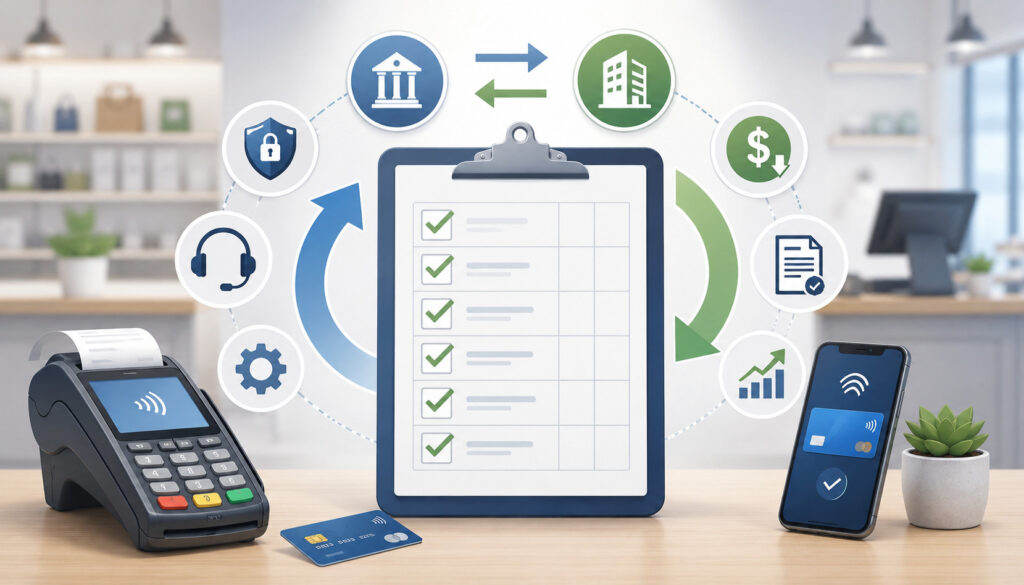
A checklist helps organize the merchant services provider switch and keeps teams aligned. The goal is to identify what must happen before, during, and after launch. The table below summarizes important steps, what to review, why each step matters, and mistakes to avoid.
| Switching Step | What to Review | Why It Matters | Common Mistake to Avoid |
| Review current agreement | Contract term, cancellation policy, early termination fee, equipment lease | Prevents unexpected costs and timing problems | Canceling before checking notice requirements |
| Analyze statements | Processing fees, merchant account fees, chargeback fees, gateway fees | Creates an accurate cost comparison | Comparing only advertised rates |
| Define payment needs | POS payments, ecommerce payments, recurring payments, invoicing | Ensures the new provider supports actual workflows | Choosing a provider without mapping sales channels |
| Confirm compatibility | POS, gateway, plugins, accounting, subscriptions | Reduces technical disruption | Assuming all systems connect automatically |
| Prepare application | Business details, bank account, statements, website policies | Helps avoid underwriting delays | Submitting incomplete or inconsistent information |
| Configure new setup | Terminals, gateway settings, API keys, plugins | Makes the new system operational | Waiting until launch day to configure |
| Test transactions | Approvals, declines, refunds, voids, receipts, batches | Finds problems before customers do | Skipping test mode and live transaction checks |
| Plan recurring billing | Tokens, schedules, customer notices, failed payments | Protects subscription revenue | Assuming stored cards can always be moved |
| Monitor settlement | Deposits, batch close, fees, reports | Keeps accounting accurate | Mixing old and new deposits without tracking |
| Preserve old records | Statements, disputes, refunds, chargebacks | Supports reconciliation and customer service | Losing access too soon |
How to Avoid Payment Processing Downtime During the Switch
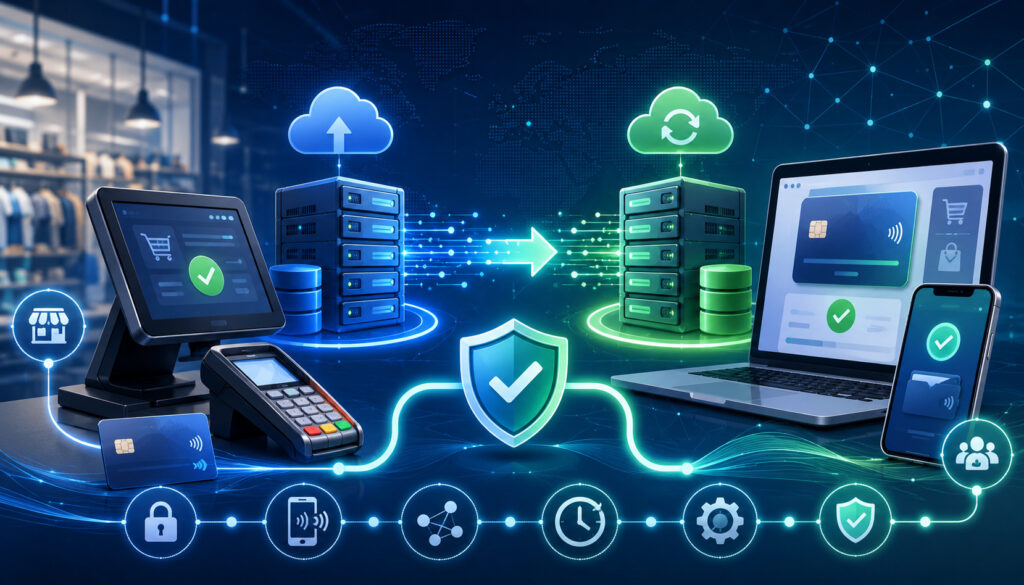
The best way to avoid downtime is to keep the old system active until the new system is fully tested. Businesses often run into trouble when they cancel the old account immediately after approval from the new provider.
Approval is not the same as readiness. The new payment gateway, POS system, terminals, settlement settings, reports, and staff procedures must all work before the full switch.
Set up the new account first. Configure gateway connections, install plugins, activate terminals, add users, set permissions, and confirm bank deposit information. Then run test transactions. For ecommerce, test the checkout from product page to order confirmation.
For in-person payments, test chip, swipe if supported, contactless, keyed entry if allowed, tips, refunds, voids, and receipts.
Confirm settlement before relying fully on the new system. A transaction approval means the payment was authorized, but settlement and funding still need to complete. Make sure batches close properly and deposits appear in the expected bank account.
Test Before Going Live
Testing should include more than a single sale. Test approvals, declines, refunds, voids, partial refunds, receipts, batch close, settlement reports, ecommerce checkout, mobile checkout, recurring billing, and POS terminals. If your business uses discounts, taxes, tips, shipping, inventory, or customer profiles, test those too.
For ecommerce payments, confirm that order status updates correctly after approval. Check whether failed payments trigger the right message. Confirm that webhook events reach the correct system and that confirmation emails show accurate payment information.
For POS payments, verify that staff can process transactions quickly during normal workflow. A terminal may technically work but still create operational problems if tip prompts, receipt settings, or batch procedures are wrong.
Keep a Backup Plan Ready
A backup plan reduces stress during launch. Keep support contact details available for the new provider, gateway, POS software, ecommerce platform, and internal staff. If possible, keep old system access during a short transition period.
Backup options may include a spare terminal, temporary payment links, invoice payments, mobile readers, or a manual process for recording orders until payment can be completed securely. Never write down full card details or store sensitive authentication data. Backup procedures should still follow payment security expectations.
Launch at a low-risk time when possible. Avoid switching right before a major promotion, holiday rush, payroll deadline, or large event.
Managing Recurring Billing and Stored Customer Payment Data
Recurring billing migration requires special care because it affects future revenue and customer trust. Subscription billing, memberships, installment plans, service retainers, donations, and card-on-file billing may depend on stored customer payment data. That data cannot be handled casually.
Many systems use tokenization. Tokenization replaces sensitive card data with a secure token that can be used for future payments within approved systems. During a merchant account migration, tokens may not always be portable.
Whether they can be transferred depends on the gateway, processor, token format, security controls, and participating providers.
Ask early whether recurring billing data can be migrated. If token migration is available, confirm the process, timing, security requirements, and responsibilities.
If token migration is not available, customers may need to re-enter payment details through a secure hosted page or customer portal. Do not ask customers to send card numbers by email, text, or unsecured forms.
Review subscription schedules before launch. Confirm billing dates, amounts, trial periods, discounts, failed payment retries, expired card handling, cancellation rules, and customer notifications. Also plan how to handle payments that fail during the switch.
Customer communication may be needed. Keep it simple: explain that billing systems are being updated, provide a secure link if action is required, and tell customers what to expect on receipts or billing descriptors. The PCI Security Standards Council offers resources that help businesses understand secure payment data handling.
Switching Payment Gateways for Ecommerce Businesses
Ecommerce businesses often face the most detailed online payment migration work. A payment gateway connects the checkout experience to payment authorization and settlement. If you switch merchant service providers and also change gateways, you must update the technical connection between your website and the payment processor.
Start by identifying your current ecommerce platform, shopping cart, gateway plugin, hosted checkout page, API integration, fraud tools, tax settings, shipping settings, and order management workflow. Then confirm whether the new gateway has a supported plugin or requires custom development.
Update API keys securely. Use test mode before live mode. Confirm that payment buttons, checkout forms, saved cards, digital wallets if applicable, and customer receipts work properly. Check that the payment gateway sends the correct response to the ecommerce platform after authorization.
Webhooks are especially important. They notify your system about payment events, refunds, failed payments, disputes, and subscription updates. If webhook endpoints are wrong, orders may not update correctly even when payments are approved.
Review fraud rules and checkout settings. Overly strict rules may block legitimate customers. Weak rules may increase chargebacks. Test order status mapping so paid orders do not remain pending and failed orders do not appear paid.
Also test refunds from both the ecommerce platform and the gateway dashboard. If your team processes customer service refunds from one system, make sure the refund syncs correctly across reports.
Switching POS or In-Person Payment Systems
For retail stores, restaurants, salons, professional offices, and mobile businesses, POS migration affects the customer-facing checkout experience. A smooth POS transition requires hardware setup, software configuration, staff training, and settlement testing.
Start by confirming what equipment is needed. This may include countertop terminals, wireless terminals, mobile card readers, receipt printers, cash drawers, barcode scanners, kitchen printers, customer displays, or tablets. Make sure the devices support the payment methods customers use, such as EMV chip cards and contactless payments.
Configure the POS system before launch. Set up taxes, products, services, modifiers, discounts, tips, receipt messages, employee permissions, refund permissions, and batch settings. Restaurants should test tip adjustment, table service, tabs, split checks, and end-of-shift reporting. Retailers should test inventory syncing, barcode scanning, returns, and exchanges.
Train staff before the first live shift. Staff should know how to process a sale, issue a refund, void a transaction, reprint a receipt, close a batch, handle a declined card, and contact support. A technically successful POS migration can still fail if employees are unsure what to do during a rush.
If you are comparing equipment and software, review payment and POS solution types to organize the features your business may need.
Settlement, Deposits, and Reconciliation During the Transition
Settlement and reconciliation deserve close attention during a merchant services transition. During the switch, deposits may come from both the old and new providers. Refunds, chargebacks, batch deposits, reserve releases, and fee deductions may appear at different times. Without a tracking process, accounting can become confusing quickly.
Start by documenting the final processing date for the old system and the first processing date for the new system. Save batch reports from both systems. Compare batch totals to bank deposits and statement reports. Note whether fees are deducted daily, monthly, or from each deposit.
Batch processing timing matters. Some businesses close batches manually at the end of the day, while others use automatic batch close. If the batch closes after a cutoff time, funding may shift. Confirm the cutoff rules for the new provider and train staff on end-of-day procedures.
Watch for funding delays during the first deposits. New accounts may have additional review procedures, especially if processing patterns differ from the application. If deposits do not match expectations, compare authorization reports, batch reports, settlement reports, and bank activity before assuming funds are missing.
Keep accounting categories clear. Label deposits by provider during the transition. Save final statements from the old provider and first statements from the new provider. This makes it easier to compare payment processing fees and identify any unexpected merchant account fees.
Chargebacks, Refunds, and Disputes After Switching
Chargebacks and refunds do not disappear when you switch credit card processor. A customer may dispute a transaction weeks after the original sale. Refunds may also be requested after the old account stops processing new transactions. Because these items are tied to the original transaction, the previous provider may still be involved.
Keep access to your old account until outstanding disputes, refunds, and reporting needs are resolved. Save transaction records, receipts, signed agreements, delivery confirmations, customer communications, refund policies, and proof of service. These records can help you respond to chargebacks.
Know which provider handles which transaction. A refund for a sale processed through the old provider may need to be handled in the old system. A dispute for a transaction processed after the switch may be handled by the new provider. Confusing the two can delay customer service and dispute responses.
Monitor deadlines closely. Chargeback responses often have strict time limits. Missing a response window can result in losing the dispute automatically. Assign responsibility to someone on your team, especially during the transition.
Refund policies should remain consistent. If customers see a new billing descriptor after the switch, they may not recognize the charge. That can increase disputes. Clear receipts, recognizable descriptors, and customer service availability help reduce avoidable chargebacks.
For customer authorization and recurring billing practices, the payments and billing guidance from a federal consumer protection agency is a useful educational resource.
PCI Compliance and Security During Migration
PCI compliance and payment security must remain a priority during payment processor migration. Any business that accepts payment cards has responsibilities for protecting cardholder data.
The specific validation steps vary by business type, sales channels, and technology environment, but the core principle is simple: payment data must be handled securely.
Do not manually move card numbers from one system to another. Do not export full card details into spreadsheets. Do not ask customers to email payment information. Do not store sensitive card data in notes, documents, inboxes, or customer service tickets. Secure payment migration should rely on approved tools, tokenization, encryption, and controlled access.
Tokenization is especially important for stored payment methods. If tokens can be migrated, the process should be handled through secure provider-approved procedures. If tokens cannot be migrated, customers should update payment information through a secure hosted form or portal.
Protect API keys and gateway credentials. Limit access to staff or developers who need it. Remove old credentials from websites, plugins, and code repositories when they are no longer needed. Use strong authentication where available.
Review staff permissions during POS migration or payment gateway migration. Employees should have only the access needed for their roles. Refund permissions, report access, and account settings should be controlled carefully.
Customer Communication When Switching Providers
Most customers do not need to know when a business changes its back-end payment processing provider. If checkout works, receipts are clear, and billing descriptors are recognizable, the switch may be invisible.
However, customer communication becomes important when the change affects subscriptions, memberships, invoices, payment links, saved payment methods, or billing descriptors.
For recurring payments, tell customers what action is required, if any. If they need to update a saved card, provide a secure link and explain the deadline. Avoid creating unnecessary concern. The message should focus on billing system updates, secure payment information, and continued service.
For invoice-based businesses, update payment links and instructions before sending new invoices. Make sure old links are disabled only after open invoices are addressed. If customers pay from saved emails, consider sending updated instructions.
For ecommerce businesses, ensure confirmation emails, receipts, and account pages reflect the new payment flow correctly. If the billing descriptor changes, customer support should know how to explain it. Unrecognized descriptors can lead to chargebacks.
For in-person businesses, customer communication may be limited to staff explanations if a receipt format or terminal prompt changes. Train employees to answer simple questions about receipts, contactless payments, tips, or declined cards.
Customer communication should be accurate, calm, and brief. The goal is to reduce confusion, not make the payment change sound risky.
Common Mistakes Businesses Make When Switching Merchant Service Providers
Many switching problems are avoidable. The biggest mistake is canceling the old account too early. Businesses may assume that once the new account is approved, the transition is complete. In reality, the gateway, POS system, terminals, settlement settings, recurring billing, staff training, and reports still need to be tested.
Another mistake is ignoring contract terms. Early termination fee charges, equipment leases, auto-renewal clauses, cancellation windows, and separate gateway agreements can create unexpected costs. Reviewing agreements before switching merchant service providers helps avoid surprises.
Businesses also make technical mistakes. They may forget to update plugins, use test credentials in live mode, skip webhook testing, misconfigure fraud settings, or fail to test refunds. In-person businesses may forget tip settings, batch close procedures, receipt configuration, or staff permissions.
Recurring billing is another common problem area. Businesses may assume customer payment data can always be moved, but token portability varies. If recurring billing migration is not planned, subscriptions may fail or customers may need to re-enter payment details.
Contract and Cost Mistakes
Contract and cost mistakes usually happen when businesses focus only on the new provider’s advertised rate. A better comparison includes the full fee schedule, payment processing fees, merchant account fees, monthly minimums, PCI fees, gateway fees, chargeback fees, equipment costs, software fees, and cancellation terms.
Review auto-renewal language and notice requirements. Some agreements require cancellation within a certain window. Others may include equipment terms that continue even after processing is canceled.
Also review how the new provider handles pricing changes. Ask for written pricing and keep a copy of the agreement. A transparent provider should be able to explain how fees will appear on statements.
Technical and Operational Mistakes
Technical and operational mistakes can directly affect sales. Common examples include broken checkout pages, incorrect API keys, missing webhooks, plugin conflicts, terminals not activated, batch settlement errors, and staff who do not know how to issue refunds.
Poor launch timing is another issue. Switching during a peak sales period increases risk. Plan the launch when transaction volume is manageable and support teams are available.
Document current settings before changing anything. Screenshots of gateway settings, POS tax rules, receipt settings, and subscription schedules can be useful if you need to troubleshoot.
Questions to Ask Before You Switch Merchant Account Provider
Asking the right questions helps you choose a provider and plan the migration. Before you switch merchant account provider, gather written answers whenever possible.
Key questions include:
- What pricing model is used?
- Are there monthly fees, PCI fees, gateway fees, or monthly minimums?
- Is there a contract term, cancellation fee, or early termination fee?
- Are equipment costs separate from the processing agreement?
- Is the payment gateway compatible with my website, shopping cart, or POS system?
- Can recurring billing data or tokens be migrated securely?
- How long does settlement usually take?
- What can cause funding delays or holds?
- What support is available during payment processor migration?
- What chargeback tools, alerts, or reporting features are included?
- Are PCI compliance tools or questionnaires provided?
- What reports are available for deposits, batches, fees, refunds, and chargebacks?
- How are refunds handled after switching?
- What happens to disputes tied to transactions from the previous provider?
- Can I keep old account access for reporting after the transition?
Do not treat these questions as a formality. The answers can reveal whether a provider understands your business model. For example, a subscription business should focus heavily on recurring billing migration and tokenization.
A restaurant should ask about tips, batch close, terminals, and offline procedures. An ecommerce business should ask about payment gateway migration, fraud rules, webhooks, and checkout testing.
How to Choose the Right New Merchant Service Provider
The right provider should fit your business model, sales channels, risk profile, technology stack, and reporting needs. Price matters, but it should not be the only factor. A low-cost provider that lacks integration support, clear reporting, or reliable customer service can create more expense over time.
Look for transparent pricing. You should understand the pricing model, monthly fees, gateway fees, PCI fees, chargeback fees, and equipment costs. Ask how fees are shown on statements and whether sample statements are available.
Evaluate contract flexibility. A business that is still growing may prefer terms that allow change without heavy penalties. Review cancellation terms, equipment ownership, software commitments, and rate change language.
Confirm settlement timing and funding policies. Ask when batches close, when deposits are typically sent, how fees are deducted, and what circumstances may cause funding delays. This is especially important for businesses with tight cash flow.
Review gateway and POS compatibility. The provider should support your ecommerce platform, POS system, accounting workflow, recurring billing tools, and reporting requirements. If you need online payments and in-person payments, make sure both channels can be managed clearly.
Support quality is critical. Ask whether migration support is available, how urgent issues are handled, and what support channels exist. Strong support can make the difference between a smooth switch and a stressful launch.
Timeline for Switching Merchant Services
A merchant services transition should follow a logical sequence. The timeline varies based on business type, underwriting requirements, technical complexity, equipment needs, and recurring billing considerations. A simple retail terminal setup may move faster than a complex ecommerce or subscription billing migration.
Start with review and planning. Analyze your current contract, statements, sales channels, equipment, integrations, settlement reports, and recurring billing setup. Then compare providers using total cost, compatibility, contract terms, support, and reporting.
Next, submit the new merchant account application. Provide accurate documents, processing history, website details if applicable, and expected transaction volume. After approval, configure the new setup. This may include gateway credentials, POS devices, plugins, webhooks, fraud rules, tax settings, receipt settings, and user permissions.
Testing comes next. Run transactions in test mode where available, then complete controlled live tests. Test approvals, declines, refunds, voids, batch close, receipts, settlement reports, and accounting exports.
After launch, monitor closely. Review deposits, transaction success rates, customer issues, chargebacks, and first statements. Keep the old account available until refunds, disputes, final deposits, and reporting needs are resolved.
Do not force the switch into an unrealistic deadline. It is better to take extra care than to create payment disruptions that affect customers and cash flow.
Merchant Services Transition Checklist
Use this checklist to keep the switch organized:
- Current contract reviewed.
- Cancellation terms and early termination fee checked.
- Equipment leases and gateway agreements reviewed.
- Current statements analyzed.
- Effective rate calculated.
- New provider selected.
- New merchant account approved.
- Gateway or POS compatibility confirmed.
- Equipment ordered, received, or configured.
- API keys and plugins installed securely.
- Webhooks and checkout settings reviewed.
- Test transactions completed.
- Refunds and voids tested.
- Batch close and settlement reports verified.
- Recurring billing reviewed.
- Tokenization and stored payment method plan confirmed.
- Customer communication prepared if needed.
- Staff trained.
- Support contacts saved.
- Accounting workflow updated.
- Chargeback access preserved.
- Old transaction records downloaded.
- Old account cancellation scheduled after transition.
- Final statements saved.
A checklist is useful because switching merchant service providers involves both technical and non-technical work. Owners may focus on price. Developers may focus on gateway settings. Finance teams may focus on settlement. Front-line staff may focus on checkout. The checklist brings these perspectives together.
Merchant Service Provider Comparison Table
Before you change the payment processor, compare providers across cost, contract, operations, and support. The table below can help structure your review.
| Evaluation Area | What to Compare | Why It Matters | Best Practice |
| Pricing model | Interchange-plus, flat-rate, tiered, membership-style pricing | Affects transparency and total cost | Compare total monthly cost using real statements |
| Contract terms | Term length, cancellation rules, early termination fee | Prevents surprise obligations | Read all agreements before signing |
| Gateway compatibility | Ecommerce platform, plugins, API, hosted checkout | Protects online payment migration | Test checkout before launch |
| POS support | Terminals, tip settings, receipts, inventory, users | Supports in-person workflows | Test real staff scenarios |
| Recurring billing | Token migration, schedules, failed payment handling | Protects subscription revenue | Confirm token portability early |
| Settlement | Batch cutoff, deposit timing, fee deduction method | Affects cash flow and reconciliation | Verify first deposits closely |
| Security | PCI compliance tools, tokenization, encryption, permissions | Helps protect payment data | Avoid manual card data transfers |
| Chargebacks | Alerts, evidence tools, reporting, fees | Helps manage disputes | Preserve old and new records |
| Reporting | Batch reports, fees, deposits, refunds, exports | Supports accounting accuracy | Match reports to bookkeeping needs |
| Support | Migration help, availability, escalation process | Reduces launch risk | Test responsiveness before committing |
This comparison should be based on your business needs, not generic rankings. A provider may be excellent for ecommerce payments but less suitable for restaurant POS payments. Another may be strong for in-person retail but limited for subscription billing.
Best Practices for a Smooth Merchant Services Switch
A smooth merchant services transition starts with documentation. Write down your current payment setup, including providers, account numbers where appropriate, gateway settings, POS devices, software integrations, users, settlement timing, batch procedures, and reporting needs. This gives you a baseline before making changes.
Read contracts before making commitments. Review both the old and new agreements. Pay attention to cancellation terms, early termination fee language, equipment leases, pricing changes, and support commitments. Do not rely only on verbal summaries.
Compare total cost using real data. Use recent merchant statements to estimate what the new pricing would cost based on your actual sales volume, card mix, average ticket, refunds, and chargebacks. This is more useful than comparing a single rate.
Test everything before launch. Test sales, declines, refunds, voids, batch close, settlement reports, receipts, ecommerce checkout, webhooks, subscriptions, and accounting exports. For POS systems, test staff workflows. For ecommerce, test the full customer journey.
Train staff before customers encounter the new system. Employees should know how to handle declined cards, refund requests, receipt questions, tip adjustments, and support calls.
Keep old records. Download statements, transaction reports, chargeback records, settlement reports, and cancellation confirmations. Monitor old account activity until all outstanding items are resolved.
Finally, communicate with customers only when needed. If saved payment methods, subscription billing, invoice links, or descriptors change, provide clear instructions and secure links.
What to Do After Switching Merchant Service Providers
After you switch merchant service providers, the work is not finished. The first days and weeks after launch are important for catching issues early. Monitor transaction success rates, declined transactions, customer complaints, refund activity, chargebacks, settlement timing, and deposit amounts.
Review the first few settlement reports carefully. Compare batches to deposits. Confirm that fees are deducted as expected. Make sure deposits are going to the correct bank account. If the new provider deducts fees differently than the old provider, update accounting procedures.
Review the first statement closely. Compare quoted pricing to actual fees. Look for monthly charges, gateway fees, PCI fees, chargeback fees, batch fees, and other merchant account fees. If something does not match the agreement, ask for clarification promptly.
For ecommerce payments, monitor checkout conversion, failed payments, order status updates, webhooks, fraud filters, refunds, and customer receipts. For POS payments, ask staff about transaction speed, receipt accuracy, tip prompts, and end-of-day batch close.
For recurring payments, watch failed billing attempts, expired cards, customer update requests, and subscription schedule accuracy. If customers were asked to update payment methods, track completion.
Do not close the old account until final deposits, refunds, chargebacks, and reporting needs are addressed. Save final statements and cancellation confirmation.
How do I switch merchant service providers?
To switch merchant service providers, start by reviewing your current contract, statements, equipment agreements, gateway setup, and recurring billing needs. Then compare new providers based on total cost, contract terms, compatibility, settlement timing, support, chargeback tools, and reporting.
Once you choose a provider, apply for the new merchant account, configure the gateway or POS system, test transactions, verify settlement, train staff, and move live payments only after the new system is ready. Keep the old account available until refunds, disputes, final deposits, and reports are resolved.
When should a business change to a merchant services provider?
A business may decide to change merchant services provider when fees become unclear or too high, deposits are slow, support is poor, equipment is outdated, integrations are limited, chargeback costs are increasing, or the current system no longer fits the business model.
Growth is another reason. A business that adds ecommerce, subscriptions, mobile payments, or multiple locations may need a more flexible payment processing provider.
Is switching payment processors difficult?
Switching payment processors can be simple or complex depending on the business. A basic terminal replacement may be manageable with limited disruption. A full payment processor migration involving ecommerce checkout, recurring payments, customer tokens, POS devices, accounting exports, and multiple locations requires more planning.
The process is easier when you document your current setup, confirm compatibility, test thoroughly, and avoid canceling the old account too soon.
Can I switch merchant account providers without downtime?
Yes, many businesses can switch merchant account providers with little or no downtime if they plan carefully. The safest approach is to set up and test the new account before shutting down the old one.
Run test transactions, confirm settlement, check refunds and voids, verify gateway or POS connections, and train staff. For a short transition period, keeping both systems available may provide a backup if something unexpected happens.
What should I check before switching credit card processors?
Before switching credit card processors, check your current payment processor contract, merchant services contract, cancellation rules, early termination fee, equipment lease, gateway agreement, PCI compliance status, merchant statements, settlement timing, chargeback obligations, recurring billing setup, customer payment tokens, and reporting needs.
Also confirm whether your new provider supports your POS system, ecommerce platform, accounting tools, and payment methods.
Will I have to change my payment gateway?
Not always. Some businesses can keep the same payment gateway and connect it to a new processor, while others must complete a payment gateway migration. The answer depends on your gateway, processor, ecommerce platform, and integration.
Before switching, ask whether your current gateway is compatible with the new provider. If not, plan for plugin updates, API keys, webhook changes, fraud rule setup, checkout testing, and refund testing.
Can recurring billing data be transferred?
Recurring billing data may be transferable if token migration is supported by the current gateway, new gateway, processor, and security procedures. However, token portability is not guaranteed.
If tokens cannot be migrated, customers may need to update payment information through a secure hosted page or customer portal. Never transfer full card details manually or store them in unsecured files. Secure payment migration should follow approved processes and PCI compliance expectations.
What happens to chargebacks after switching providers?
Chargebacks can still occur after you switch providers. A dispute is tied to the original transaction, so the provider that processed that sale may still be involved.
Keep old account access, transaction records, receipts, delivery confirmation, refund policies, and customer communications. Monitor dispute deadlines and know which provider handles each transaction. Do not assume old chargeback obligations end when new processing begins.
How do I compare merchant service providers?
Compare merchant service providers by looking at total cost, pricing model, monthly fees, gateway fees, PCI fees, chargeback fees, equipment costs, contract flexibility, settlement timing, gateway compatibility, POS support, ecommerce integrations, recurring billing tools, chargeback support, reporting, and customer service. Use real merchant statements to estimate costs instead of relying only on advertised rates.
How can I avoid payment disruptions during the switch?
To avoid payment disruptions, keep the current system active while setting up the new one. Confirm approval, configure equipment or gateway settings, install plugins securely, test transactions, verify refunds and voids, confirm batch close, check settlement reports, train staff, and prepare a backup plan.
For ecommerce, test checkout and webhooks. For POS payments, test terminals, receipts, tips, and end-of-day procedures. For recurring billing, confirm token migration or customer update steps before launch.
Conclusion
A successful provider switch is built on preparation, testing, and careful follow-through. Businesses should not treat the change as a simple account replacement. Payments affect sales, deposits, refunds, chargebacks, subscriptions, accounting, and customer experience.
To switch merchant service providers smoothly, begin with a clear review of your current contracts, fees, statements, equipment, integrations, and billing workflows.
Compare new providers by total cost, compatibility, settlement timing, support, reporting, and contract flexibility. Prepare documents for the new merchant account application, then configure and test the new gateway or POS system before going live.
Pay special attention to recurring billing migration, customer payment data, PCI compliance, tokenization, and secure payment migration. Keep old records and old account access until outstanding transactions, refunds, deposits, and chargebacks are resolved.
With the right plan, a merchant services transition can reduce friction, improve visibility, and help the business operate with greater confidence.