
A payment terminal cannot reliably route, report, and settle card transactions until it is associated with the correct merchant processing account. That relationship commonly involves a Merchant ID (MID), a Terminal ID (TID), a processor-generated terminal profile, and other account or device parameters.
When merchants talk about how to sync merchant IDs with payment terminals, “sync” usually does not mean typing a Merchant ID into a hidden terminal menu.
In many payment environments, the payment processor, acquiring bank, POS provider, gateway, or an authorized technician provisions the terminal remotely. The device may receive its merchant account configuration during activation, terminal initialization, or a processor-controlled parameter download.
Exact procedures vary substantially among processors, acquiring platforms, terminal models, POS systems, and payment integrations. Some terminals arrive preconfigured. Others download an assigned terminal profile when first initialized.
Integrated POS systems may associate a payment device with the appropriate merchant account through software configuration or processor-issued credentials.
The practical goal is the same: transactions originating from the terminal must be associated with the correct approved merchant processing relationship, reported under the intended business or location, and ultimately included in the appropriate settlement process.
This guide explains how that relationship works, how to verify a merchant ID terminal setup, and how to troubleshoot configuration problems without using unauthorized administrator credentials, service menus, or routing changes.
What Is a Merchant ID?
A Merchant ID, commonly abbreviated MID, is an identifier associated with a merchant’s payment-processing relationship. You may also hear terms such as merchant identification number, merchant account number, merchant number, or processor account identifier, although those labels are not always interchangeable.
The MID helps the processing environment associate transactions with the correct merchant account or processing relationship. Depending on the architecture, that relationship may involve a payment processor, merchant services provider, acquiring bank, payment gateway, and one or more payment terminals.
An MID can be important for several operational functions, including:
- identifying the merchant or merchant account within processing systems;
- organizing transaction and settlement reporting;
- associating transactions with the appropriate merchant configuration;
- supporting reconciliation of batches, fees, refunds, and deposits;
- helping support staff locate the correct processing account.
The MID should not be treated as an independent instruction that tells every participant in the payment ecosystem exactly where money goes. Card payment processing involves multiple systems.
The Federal Reserve notes that card payments generally involve authorization, clearing, and settlement between issuing and acquiring sides through card-network intermediaries.
An acquiring bank supports the merchant side of card acceptance, while processors and other service providers can perform technical transaction-processing functions. The Federal Trade Commission similarly describes the acquirer as the party providing payment card services to the merchant and maintaining the merchant’s account.
Merchants can often locate an MID on their processing statement, onboarding documents, processing agreement, or processor portal.
If several business locations or processing relationships exist, however, verify which number belongs to the specific account being configured. This is one reason reviewing a merchant processing statement can be useful before changing equipment.
What Is a Terminal ID, and How Is It Different From a Merchant ID?

A Terminal ID, or TID, identifies a terminal or terminal-level processing record within a payment environment. The exact format and purpose depend on the processor, POS platform, acquiring architecture, and payment application.
A TID commonly provides more device-level or lane-level identification than an MID. For example, a restaurant might have one merchant processing relationship but several payment stations. A retailer might have an individual terminal record for each checkout lane. A service company might use a countertop terminal plus a mobile device.
That makes MID and TID related but distinctly different concepts.
| Feature | Merchant ID (MID) | Terminal ID (TID) |
| Identifies | Merchant/account processing relationship | Terminal or terminal-level processing record |
| Assigned by | Acquirer, processor, or associated processing platform | Processor, acquirer, terminal management system, or platform |
| Account vs. device | Primarily account/merchant-oriented | Primarily terminal/device-oriented |
| Multiple terminals possible? | Often yes, depending on account architecture | Usually identifies one terminal record or logical terminal |
| Used in reporting | Commonly | Commonly, especially terminal-level reporting |
| Changes when equipment changes? | Not necessarily | May change when a new terminal/device record is created |
A business should therefore never assume that a number labeled TID can be substituted for a MID during a payment terminal merchant ID setup.
Other identifiers create similar confusion. A terminal serial number identifies the physical hardware and normally comes from the equipment manufacturer. A Merchant Category Code (MCC) categorizes the type of business activity. A gateway ID identifies an account or configuration within a payment gateway. A transaction ID identifies an individual transaction.
A processor can also maintain its own internal account numbers that do not match the MID presented on merchant-facing statements or reports. If an onboarding document contains several numbers, verify their labels through authorized documentation instead of guessing which one belongs in a merchant ID terminal configuration.
How Merchant IDs Work With Payment Terminals
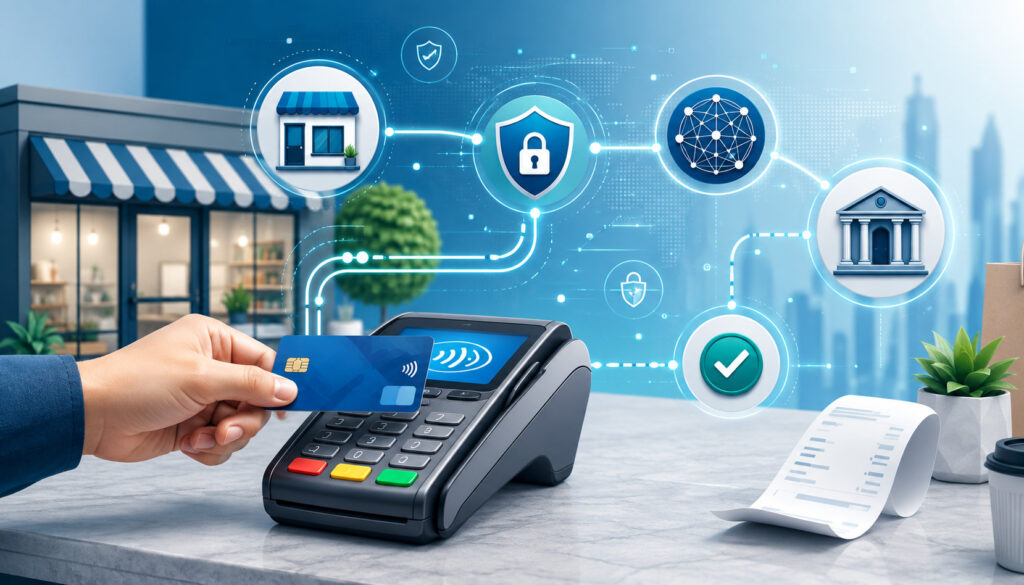
A payment terminal is one component in a larger payment acceptance environment. During a typical card-present transaction, the terminal captures or receives the payment credential, creates the appropriate transaction message, and communicates through the configured payment application and processing connection.
The terminal’s configuration helps associate that transaction with the intended merchant processing relationship. Relevant settings can include the MID, TID, processor routing parameters, merchant location information, supported payment methods, communication configuration, application settings, and batch parameters.
A simplified relationship looks like this:
Merchant account → merchant processing configuration → MID → terminal profile → TID/device → processor/acquiring environment → authorization, clearing, and settlement
That diagram is intentionally simplified. The MID alone does not determine the entire transaction-routing path. Processor host settings, card-network rules, terminal applications, gateway connections, routing logic, and acquiring arrangements can all participate.
For example, when a card is presented, the terminal may submit an authorization request through its configured processor connection.
If approved, the transaction is later captured for clearing and settlement according to the merchant’s processing setup. Visa’s merchant resources distinguish authorization procedures from later transaction processing and settlement-related responsibilities.
The merchant-terminal relationship also matters for reporting. A multi-terminal restaurant may want transactions grouped under one merchant location but separated by terminal or workstation. A multi-location retailer might need each location mapped to a different processing account.
For businesses choosing integrated payment infrastructure, understanding how POS hardware, software, reporting, and payment acceptance work together is also important. The guide to choosing a POS system provides additional context on evaluating POS environments.
A successful merchant ID payment terminal association therefore means more than getting an approval message. The setup should route transactions through the intended processing account, maintain accurate reporting, produce correct batch records, and settle funds according to the approved merchant account configuration.
What Does “Syncing” a Merchant ID Really Mean?
The phrase sync merchant ID with payment terminal is convenient, but payment systems do not use one universal synchronization procedure. In practice, “syncing” usually describes the process of linking or provisioning a terminal so that it operates under the correct merchant processing account.
Depending on the platform, that process may involve:
- activating a new payment terminal;
- registering its serial number or device identifier;
- associating the device with a merchant location;
- assigning a TID;
- assigning or associating the correct MID;
- downloading processor-generated terminal parameters;
- applying a terminal profile;
- initializing the payment application;
- connecting an integrated POS terminal to an approved merchant account;
- updating processor-side configuration after an account migration.
A standalone terminal may perform a terminal download during initialization. Instead of a merchant manually entering every value, the device contacts an authorized host or terminal-management service and receives a configuration that has already been associated with the merchant account.
An integrated POS environment may work differently. The POS software, gateway, payment application, and processor may exchange approved configuration information so the paired device is associated with a particular location or account.
Before beginning payment terminal setup, have the following available through authorized sources:
- confirmation that the merchant account is active;
- the correct MID, where applicable;
- TID information, if already assigned;
- terminal model and serial number;
- processor-approved hardware information;
- secure Ethernet, Wi-Fi, or cellular connectivity;
- authorized activation information supplied by the provider;
- applicable POS or gateway integration details;
- confirmation of the intended settlement bank account.
Do not obtain administrator passwords, activation codes, or service credentials from unofficial websites, online forums, or equipment resellers unless your authorized provider specifically directs you there.
How to Sync a Merchant ID With a Payment Terminal
Because payment terminal configuration varies, the safest method is a processor-approved workflow rather than a universal sequence of menu commands. The following steps cover the operational checks that apply to most merchant account terminal setups without relying on device-specific service menus.
- Confirm the merchant account is active: Verify that underwriting and onboarding have been completed and that the account is approved for live processing. A terminal generally cannot compensate for an inactive or incomplete processor-side account.
- Verify the correct MID: Check your merchant statement, processing agreement, onboarding documentation, or processor portal. If multiple locations exist, confirm that you are using the identifier for the intended location.
- Confirm terminal compatibility: Make sure the terminal model, payment application, firmware, and communication method are supported by the processor or integrated POS platform. Payment hardware may require specific certifications, applications, encryption arrangements, or processor configurations.
- Verify the physical terminal record: Confirm the terminal’s serial number, asset number, or device record with the information registered by your processor. This is particularly important when replacing hardware or adding a second terminal.
- Connect the terminal securely: Depending on the equipment, connectivity may use Ethernet, a protected business Wi-Fi network, or cellular service. Avoid open public Wi-Fi for payment terminal operations.
- Start the authorized activation or initialization process: Follow documentation supplied by the payment processor, POS platform, acquiring partner, or authorized terminal provider. Payment terminal activation may initiate device registration, application initialization, or a connection to a terminal-management platform.
- Download the assigned terminal profile or parameters: Many terminals retrieve processor-generated settings instead of requiring a merchant to type a MID manually. Terminal provisioning can include the MID, TID, supported payment types, host settings, receipt settings, and other terminal parameters.
- Verify merchant and terminal information: If the approved merchant interface allows you to view the MID, TID, merchant name, location, or processor profile, compare those values with your onboarding records. Do not expose full account information publicly.
- Run a small test transaction: Use an authorized payment method and follow your processor’s testing recommendations. Confirm that the terminal communicates normally and the transaction receives an expected response.
- Check processor-side reporting: Sign in to the approved merchant portal and locate the test transaction. Confirm that it appears under the correct business, location, MID, and terminal where those fields are displayed.
- Verify batch settlement: Ensure the transaction enters the correct batch and that normal batch-close procedures work. Depending on the setup, settlement may be initiated automatically or according to configured closing procedures.
- Confirm merchant funding: When settlement completes, reconcile the batch and deposit against the intended business bank account. Authorization by itself does not prove that the entire configuration is correct.
Verifying the MID, Terminal Compatibility, Activation, and Settlement
The most important part of MID terminal setup is verification. A configuration can appear successful on the terminal while a processor-side issue still affects reporting or settlement.
Start by verifying the MID from a trusted merchant source. The merchant processing statement is often one of the most dependable references because it connects the account identifier with actual processing activity. Processor portals and onboarding records can also provide account identifiers, although terminology varies.
Do not confuse an MID with:
- a TID;
- Merchant Category Code;
- transaction or authorization ID;
- payment gateway identifier;
- terminal serial number;
- processor customer number;
- bank routing number;
- deposit account number.
Next, confirm equipment compatibility. Chip and contactless acceptance involves technical requirements beyond the MID itself.
EMVCo publishes specifications and approval processes for contact and contactless acceptance technology, including processes designed to assess whether contactless acceptance devices conform to relevant EMV specifications. For additional background, merchants can review this EMV chip and contactless fraud-liability guide.
During terminal initialization, a payment terminal may register with a processor, obtain software or configuration parameters, validate its processing relationship, and become ready for approved payment methods. The processor may call this activation, initialization, download, deployment, boarding, or provisioning.
After activation, review the merchant name and location printed or displayed where supported. Then inspect authorized portal reporting for the MID and TID association.
A test authorization proves only part of the setup. The payment should also appear in reporting, enter the expected batch, settle under the intended merchant account, and ultimately reconcile to the correct funding account.
If you are changing processors, the testing requirement becomes especially important. A payment processor migration guide explains why new terminals, POS connections, deposits, refunds, and reporting should be tested before the old processing environment is shut down.
Terminal Provisioning, Profiles, Transaction Routing, and Settlement
Terminal provisioning is the process of preparing a payment terminal or logical payment device to operate under an approved merchant configuration. Rather than expecting a business owner to program complex processing values, a processor or terminal-management environment often prepares those settings centrally.
A terminal profile can include information such as:
- MID or associated merchant account reference;
- TID;
- processor routing information;
- merchant name and location details;
- enabled payment applications;
- accepted payment methods;
- EMV and contactless application parameters;
- communication settings;
- receipt configuration;
- tip or transaction options;
- batch and settlement settings.
The exact content varies by platform. A processor may store certain values on its host rather than directly on the physical device.
A terminal parameter download transfers some or all approved settings to the terminal. A download might occur during initial setup, after replacement hardware is installed, following a configuration update, or when support asks the device to retrieve updated parameters.
Once transactions begin, the merchant configuration helps identify the processing relationship under which they are submitted. It is important not to oversimplify this by saying that “the MID routes the transaction.”
Transaction routing can depend on processor hosts, acquiring relationships, network rules, card type, application configuration, gateways, and other parameters.
Settlement is similarly broader than one identifier. Approved transactions are captured and submitted through the merchant’s processing environment, after which clearing and settlement occur according to the applicable payment system and merchant agreement.
Merchant funding then reflects the merchant’s agreed deposit arrangement. The settlement account information is normally maintained as part of the merchant account relationship rather than being a substitute for the MID.
Can One Merchant ID Work With Multiple Terminals?
Yes, one MID can often be associated with multiple payment terminals, depending on the processor’s account architecture. Each terminal may have its own TID or device record while sharing the same merchant processing relationship.
Consider a restaurant with four fixed checkout stations and several handheld payment devices. The processor might associate all of them with the same merchant location and MID while assigning individual terminal identifiers so reporting can distinguish activity by device.
A retailer could have eight checkout lanes operating under one merchant account. A service company might have a front-desk POS terminal plus a mobile terminal used by employees in the field. Whether those devices share one MID depends on the processor and business structure.
A business may instead have multiple Merchant IDs when it has:
- separate physical locations;
- multiple legal entities;
- different business brands;
- different acquiring or processor relationships;
- distinct sales channels;
- separately underwritten business activities;
- different risk profiles;
- independent settlement or accounting structures.
Multiple locations deserve particular attention. Some processors create a parent relationship with location-level merchant accounts, while others structure merchants differently. Do not assume that because two stores have the same ownership they should use the same MID.
Likewise, one physical terminal may sometimes support multiple merchant configurations when explicitly designed and provisioned for that purpose, such as certain multi-merchant environments. That functionality is platform-specific and should not be enabled through unauthorized configuration changes.
For accounting purposes, map every MID and TID to a business location, department, or sales channel. This makes reconciliation much easier when checking processor reports, bank deposits, refunds, and chargebacks.
Merchant ID Setup for Standalone, Integrated, Wireless, Restaurant, and Retail Terminals
A standalone credit card terminal setup usually depends heavily on processor provisioning. The processor may register the hardware, assign a terminal record, create the merchant configuration, and instruct the terminal to download its profile during activation.
An integrated POS system adds another layer. The payment terminal may communicate with POS software through a local or cloud-based payment integration. The POS can identify which merchant location or payment account should be used while the payment application manages secure card interaction and processor communication.
Merchants should verify both sides of an integrated deployment:
- the terminal is registered to the correct processing relationship;
- the POS location is mapped correctly;
- the payment integration is operating in the intended live environment;
- test transactions appear in both POS and processor reports;
- refunds and voids reconcile across systems.
Wireless terminals introduce connectivity considerations. Cellular terminals generally rely on supported mobile connectivity, while Wi-Fi terminals should use properly secured business networks. Mobility does not eliminate the need for correct terminal provisioning or merchant account configuration.
Restaurant configurations often include additional features such as tips, multiple service stations, handheld terminals, checks or tabs, and end-of-day batch procedures. A terminal that approves transactions but applies the wrong tip or batch configuration is not fully ready for production.
Retail environments may require several TIDs under one MID, integration with checkout lanes, receipt printers, inventory systems, and support for EMV contact and contactless transactions.
For multi-location organizations, establish whether configuration is centralized or location-specific before deployment. A centralized POS administration system can still have separate processing accounts underneath it.
Online payment gateways are different from physical terminals. A gateway may use its own gateway account ID, API credentials, processor account references, or merchant identifiers. A gateway ID should not automatically be treated as a payment terminal MID.
Merchant ID vs. Other Payment Account Identifiers
Merchant payment systems contain many identifiers, and setup mistakes often begin when two unrelated numbers are treated as interchangeable.
- Merchant ID vs. Gateway ID: An MID relates to the merchant’s processing or acquiring relationship. A gateway ID identifies an account, merchant instance, or connection within a payment gateway. A gateway can connect to a processor without its identifier being the same as the processor’s MID.
- Merchant ID vs. Merchant Category Code: An MID identifies a merchant processing relationship. An MCC classifies the merchant by business activity. The MCC may influence network rules, underwriting, reporting, or transaction treatment, but it is not a substitute for a merchant account identifier.
- Merchant ID vs. Merchant Account Number: These terms sometimes overlap because providers use different naming conventions. One processor may label its primary identifier “Merchant ID,” while another document uses “merchant number” or “merchant account number.” Verify the terminology with the provider rather than assuming equivalence.
- Merchant ID vs. Processor Account ID: A processor can assign internal customer, location, platform, hierarchy, or account identifiers that are separate from the MID used in processing. These numbers may appear in portals and support cases.
- Merchant ID vs. Bank Account Number: An MID does not identify the merchant’s deposit bank account. Merchant funding information is maintained separately. Changing a settlement account therefore does not necessarily change the MID, although the processor may require verification and approval before banking information is updated.
- Merchant ID vs. Terminal Serial Number: The serial number identifies physical hardware. Replacing a terminal can therefore change the serial number while leaving the merchant processing relationship unchanged.
- Merchant ID vs. TID: The MID is generally merchant/account-oriented, while the TID is terminal-oriented. If a support representative asks for one, do not provide the other unless instructed.
This distinction becomes especially important when reviewing merchant statements, device inventories, processor portals, and multi-location reports.
What Happens If the Wrong Merchant ID or Terminal Configuration Is Assigned?
An incorrect merchant-terminal configuration can cause anything from an immediate transaction rejection to less obvious reporting or settlement problems. The result depends on which value is wrong and how the processor validates its terminal records.
Possible symptoms include:
- Invalid Merchant: This generally indicates that the processor or host cannot accept the transaction under the merchant configuration being presented. Causes can include an inactive account, incorrect provisioning, processor migration, or a mismatch between terminal and host records. Do not assume the displayed message identifies the exact cause.
- Merchant Not Found: A host may be unable to locate or validate the merchant configuration supplied by the terminal. Confirm account status and device assignment through processor support instead of repeatedly changing local settings.
- Terminal Not Registered: The hardware or logical terminal record may not yet be associated with the account. Confirm the serial number and TID registration with the authorized provider.
- Host Configuration Error: This can indicate a mismatch involving processor-side parameters, routing, payment application settings, or terminal profiles. Host-side problems usually require processor or platform support.
- Initialization Failed: First verify connectivity, power, and account activation. If those are normal, the device may require an authorized initialization or configuration review.
- Parameter Download Failed: Check Ethernet, secured Wi-Fi, or cellular connectivity. Other causes can include processor outages, incomplete device registration, incompatible software, an incorrect terminal record, or unfinished merchant onboarding.
- Incorrect Terminal ID: If the displayed or reported TID does not match the device’s assigned record, stop configuration changes and contact support. The correct TID may be processor-generated rather than merchant-selected.
- Settlement Account Mismatch: If deposits appear to be associated with an unintended account or location, treat the problem seriously. Confirm the MID, TID, merchant location, terminal profile, batch records, and settlement banking information through authorized processor support.
A terminal can also appear functional while transactions are going to an unexpected account. In that situation, stop unnecessary configuration changes and preserve receipts and reports. Contact the processor promptly so it can review the merchant hierarchy, device registration, terminal profile, location assignment, and funding configuration.
Why a Terminal May Reject a Merchant ID and How to Troubleshoot Safely
If a terminal displays “invalid merchant,” repeatedly changing fields is usually counterproductive. Payment environments depend on matched processor-side and terminal-side records, so random edits can make diagnosis more difficult.
Use this sequence:
- Stop changing advanced terminal configuration.
- Confirm that the merchant account is active.
- Verify the correct MID from an authorized source.
- Confirm the terminal serial number and intended location.
- Confirm that the terminal is compatible with the current processor.
- Verify that the device has been registered or boarded.
- Check network connectivity.
- Ask authorized support to review the terminal profile and parameter assignment.
- Perform another initialization or download only when directed.
- Retest authorization, reporting, batch closing, and settlement.
A terminal may reject its configuration after a processor migration because the hardware still contains an old application or terminal profile. Changing processors commonly requires a new merchant relationship, new processor configuration, and potentially a new MID.
A payment terminal may also fail after replacement if the new serial number was never associated with the merchant account. Conversely, a used terminal may remain locked or configured to an incompatible platform and may not be suitable for the new processing environment.
Firmware and payment applications matter as well. A device can be physically capable of EMV or contactless acceptance while still requiring processor-supported application software and configuration.
For terminal downloads, first rule out basic connectivity problems. If other network devices work but parameter downloads continue failing, the processor should check device registration, account status, software compatibility, and host availability.
Never use an online “master password,” undocumented administrator code, or supposed universal service menu to bypass these controls.
Replacing Terminals, Changing Processors, Adding Devices, and Changing Bank Accounts
Replacing payment equipment does not automatically require a new MID. If the merchant processing relationship remains unchanged, the processor may keep the existing MID while assigning a new terminal record, TID, device token, or serial-number association to the replacement terminal.
The replacement workflow normally involves deactivating or retiring the old device, registering the new equipment, provisioning the correct profile, testing transactions, and verifying settlement.
Changing payment processors is different. A processor migration can require:
- a new merchant account relationship;
- new underwriting and onboarding;
- a new MID;
- new TIDs;
- different terminal software;
- new gateway credentials;
- a new POS integration;
- new batch procedures;
- new reporting and settlement arrangements.
Do not cancel the old account simply because the new merchant account was approved. Complete activation, test transactions, batch processing, refunds where appropriate, reporting checks, and settlement verification first.
When adding a terminal, a useful general sequence is:
- obtain processor approval for the device;
- register the terminal serial number;
- assign the correct location or merchant account;
- create or assign the TID;
- download the approved terminal profile;
- run a test transaction;
- verify reporting and settlement.
Changing the business’s bank account usually concerns merchant funding rather than the physical terminal itself. It therefore does not inherently mean the MID must change, but procedures vary. Processors commonly require authorized banking updates and account verification.
When removing an old terminal, deactivate the device through the appropriate provider process, remove obsolete device records where applicable, return leased equipment when required, and handle stored configuration or device disposal according to authorized procedures. Confirm that no future transactions continue to originate from the retired equipment.
Payment Terminal Security, PCI DSS, and Manual MID Entry
Merchant ID terminal integration should be treated as an administrative and security-sensitive process. A terminal sits inside a payment environment that may handle payment-account information and communicate with multiple external systems.
PCI DSS establishes technical and operational requirements intended to protect payment account data. The PCI Security Standards Council describes PCI DSS as a global baseline of requirements for protecting account data, and its merchant resources provide guidance on appropriate validation and payment-security responsibilities.
Merchants can use the PCI Security Standards Council as a primary source for current standards and supporting resources.
Good terminal security practices include:
- use processor-approved terminals and software;
- keep terminal applications and firmware current through approved update methods;
- inspect devices regularly for physical tampering;
- control who can access configuration functions;
- protect processor and merchant portal credentials;
- use secure business networks;
- avoid open public Wi-Fi;
- restrict configuration privileges by job role;
- verify support contacts before sharing account information;
- maintain an inventory of deployed and retired terminals.
The FTC’s small-business cybersecurity guidance recommends practices including multi-factor authentication, protected wireless networks, strong credentials, encryption, and limited access to sensitive information.
Should You Manually Enter a Merchant ID?
Manual MID entry should occur only when the authorized processor, acquiring platform, POS provider, or official terminal documentation explicitly supports it.
Many modern deployments do not require the merchant to enter the MID directly. Instead, the merchant ID payment processing relationship is remotely provisioned, included in a terminal profile, associated through the POS or gateway, or downloaded during terminal initialization.
Even if a terminal contains administrative configuration screens, access does not necessarily mean a merchant should modify them. Incorrect host settings, encryption parameters, merchant numbers, TIDs, or routing configuration can stop transactions or cause account-association problems.
Do not use default administrator passwords found on unrelated websites, hidden menu sequences, service codes, or instructions intended to bypass a provider’s configuration controls. If an authorized technician says manual entry is required, use only the values and process supplied for your specific account and device.
How to Protect Merchant Account Credentials
Merchant portals, terminal-management systems, and gateway dashboards can expose operational information that should remain restricted. Give access only to employees or contractors who require it for payment operations.
Use unique credentials and enable multi-factor authentication where supported. Never share passwords among an entire store or department if individual accounts are available.
Avoid posting photographs of merchant statements, configuration screens, processor emails, or terminal receipts on public forums. Even when cardholder data is absent, these materials can disclose account structure, merchant identifiers, contact information, or operational details that could help an attacker impersonate the business.
Protect onboarding paperwork as carefully as other financial records. Before responding to an unsolicited support call, independently verify the caller through an established processor support channel.
How to Verify a Successful Merchant ID Sync
A terminal displaying “ready” does not prove that payment terminal MID configuration is completely correct. Verification should continue through transaction reporting and merchant settlement.
Use this checklist after initial installation, replacement, processor migration, or substantial terminal reconfiguration:
- Terminal initializes without configuration errors.
- Correct business name or location appears where supported.
- MID shown in authorized reporting matches the intended merchant account.
- TID matches the intended terminal record.
- Terminal serial number matches processor records.
- EMV chip transactions function as expected.
- Contactless transactions function if enabled and supported.
- A small test transaction receives an appropriate authorization response.
- The test payment appears in the processor portal.
- Reporting assigns the transaction to the correct business/location.
- The transaction enters the expected batch.
- Batch settlement completes.
- Deposit reconciliation points to the intended merchant funding account.
Authorization and settlement should be treated as separate checkpoints. An authorization confirms that a transaction received an approval decision; it does not by itself prove that settlement and funding are correct.
Visa’s educational material describes authorization as part of the transaction lifecycle and explains that authorized transactions later proceed toward completion and settlement.
The following merchant ID terminal setup checklist can help operations teams document the process:
| Setup Step | What to Check | Common Problem |
| MID verification | Correct merchant/location account | Old or wrong MID |
| Terminal compatibility | Processor, application, firmware | Unsupported device |
| Device registration | Serial number and location | Terminal not boarded |
| Network connection | Secure Ethernet/Wi-Fi/cellular | Cannot reach host |
| Parameter download | Approved terminal profile | Download fails |
| TID assignment | Correct terminal record | Wrong TID |
| Test transaction | Approval and reporting | Transaction missing |
| Batch settlement | Correct batch/location | Settlement failure |
| Bank funding | Correct merchant deposit account | Funding mismatch |
Do not remove a backup payment method or decommission an old processor configuration until the new environment has passed the appropriate operational checks.
Common Merchant ID Terminal Setup Mistakes and Best Practices
Many merchant-terminal problems result from assumptions rather than hardware failures.
One common mistake is confusing the MID with the TID. Another is copying an identifier from an old statement or former location without checking whether it belongs to the processing relationship being activated.
Other avoidable mistakes include:
- attempting to use a terminal configured for an incompatible processor;
- skipping processor-side device registration;
- assuming every terminal model follows the same activation process;
- manually changing host or advanced configuration values without authorization;
- using an old terminal profile after changing processors;
- failing to verify the physical serial number;
- testing authorization but not settlement;
- overlooking gateway or POS location mappings;
- connecting terminals to insecure public Wi-Fi;
- ignoring processor migration instructions;
- retiring the previous system before the replacement is verified.
Businesses can reduce these problems by maintaining a structured terminal inventory. Record each physical terminal’s location, model, serial number, TID, associated MID, processor, installation date, and operational status.
Keep onboarding and configuration records accessible to authorized staff. Review merchant statements and settlement reporting regularly so unexpected account associations are identified quickly rather than weeks later.
Use authorized support whenever an issue involves terminal provisioning, processor host settings, merchant routing, encryption, firmware, application certification, or settlement. The objective is not merely to make the device produce an approval. It is to preserve a reliable chain from the customer transaction through accurate reporting and merchant settlement.
A disciplined process also helps during equipment replacements and processor migrations. Document the old setup, provision the replacement, test it, reconcile the resulting deposit, and only then retire the previous payment path.
Frequently Asked Questions
How do I sync a Merchant ID with a payment terminal?
In many systems, you do not manually type the MID into the terminal. The processor or POS provider associates the merchant account with the device and supplies a terminal profile during activation, initialization, or parameter download.
Confirm the merchant account, MID, terminal serial number, and processor compatibility first. Then follow the authorized activation procedure, run a test transaction, locate it in processor reporting, and confirm batch settlement and funding.
What is a Merchant ID on a payment terminal?
A Merchant ID, or MID, is an identifier associated with the merchant’s processing relationship. A payment terminal can operate under configuration linked to that MID so transactions are associated with the intended merchant account.
The MID is only one part of the configuration; TIDs, processor host settings, terminal profiles, gateway connections, payment applications, and account hierarchy can also affect transaction processing.
Is a Merchant ID the same as a Terminal ID?
No. A Merchant ID generally identifies the merchant or merchant processing relationship, while a Terminal ID generally identifies a terminal or logical terminal record. Several TIDs may operate under one MID.
Terminology and account structure vary by processor, so merchants should verify which identifier is being requested rather than treating MID and TID as interchangeable.
Where can I find my Merchant ID?
Check your merchant processing statement, processing agreement, onboarding documents, authorized merchant portal, or payment processor support resources.
If you have several locations or processing accounts, make sure the MID belongs to the terminal being configured. Do not confuse an MID with a TID, Merchant Category Code, gateway ID, transaction ID, terminal serial number, or business bank account number.
Can one Merchant ID work with multiple terminals?
Often, yes. A restaurant, retailer, or service business may operate several terminals under one merchant processing relationship. Each device may receive its own TID even though the terminals share an MID.
Whether this is supported depends on the processor’s account architecture, location structure, reporting requirements, and POS integration.
Can one terminal have multiple Merchant IDs?
Some specialized payment environments can support more than one merchant configuration on a device, but this is not a universal terminal capability.
Multi-merchant functionality must be explicitly supported and provisioned by the processor or payment platform. Do not attempt to add additional MIDs through unauthorized configuration menus.
Why does my terminal say “invalid merchant”?
The message can indicate an inactive account, incorrect terminal provisioning, an outdated profile, an incompatible processor configuration, or another mismatch between the terminal and processing host.
Stop changing advanced settings, verify the account and device details, and ask authorized processor support to review the terminal record and configuration.
What is terminal provisioning?
Terminal provisioning is the process of assigning and installing the approved configuration a payment device needs to operate.
It may include merchant account references, MID and TID values, transaction-processing parameters, enabled payment methods, processor communication settings, receipt options, and batch configuration.
Provisioning can occur remotely, before shipping, during terminal activation, or through an integrated POS platform.
What is a terminal parameter download?
A terminal parameter download is a process through which the terminal retrieves authorized configuration from a processor, terminal-management system, or other approved service.
Parameters vary by platform but can include merchant information, processing configuration, terminal identifiers, payment applications, receipt settings, and batch options. A failed download may indicate connectivity, registration, account, software, or processor-side problems.
Does changing terminals change my Merchant ID?
Not necessarily. If you replace hardware while keeping the same merchant processing relationship, the MID may remain unchanged.
The new terminal can instead receive a different TID or device record and will have a different hardware serial number. Your processor should determine how the replacement is registered and provisioned.
Does changing processors change my Merchant ID?
It often can. Changing processors may establish a new merchant processing relationship and may require a new MID, new terminal profile, new gateway connection, or new hardware configuration.
Do not assume equipment programmed for an old processor will automatically operate under the new account. Follow the migration instructions supplied by both relevant providers.
How do I know whether my terminal is linked to the correct merchant account?
Check the merchant and location information available through authorized terminal or portal interfaces, process a controlled test transaction, and confirm that the transaction appears under the expected MID and TID.
Then verify that it enters the correct batch and that the resulting settlement reconciles to the intended funding account.
Can I manually enter a Merchant ID into a terminal?
Only when the terminal and processor explicitly support manual entry and your authorized provider instructs you to do so. Many terminals receive MIDs and related configuration through provisioning or parameter downloads.
Avoid unofficial service menus, administrator passwords, or configuration instructions because they can disrupt processing and introduce security risks.
Conclusion
To sync merchant IDs with payment terminals correctly, think in terms of provisioning and account association rather than a universal manual MID-entry procedure.
A Merchant ID identifies a merchant processing relationship, while a Terminal ID identifies a terminal or terminal-level record. They serve different purposes and should never be assumed to be interchangeable.
Depending on the processor, acquiring bank, terminal, gateway, and POS architecture, a terminal may arrive preconfigured, receive its merchant information through a parameter download, obtain a processor-generated terminal profile during initialization, or become associated with the merchant account through an integrated POS system.
The safest payment terminal setup begins by confirming the active merchant account, correct MID, supported hardware, terminal serial number, and secure connectivity. Authorized activation and terminal provisioning should then establish the correct account and device configuration.
Do not stop verification after a successful authorization. Confirm that the test transaction appears under the correct MID, TID, and location, that it enters the expected batch, and that settlement reaches the intended merchant funding account.
When configuration errors occur, avoid random changes, unofficial passwords, or undocumented service menus. Problems such as invalid merchant messages, failed parameter downloads, incorrect TIDs, and settlement mismatches are often tied to processor-side configuration and should be reviewed through authorized support.
Maintaining an accurate MID/TID and terminal inventory, protecting merchant account credentials, following PCI Security Standards Council guidance, using processor-approved software and hardware, and checking settlement after equipment or processor changes provides a dependable foundation for secure merchant ID payment processing.